

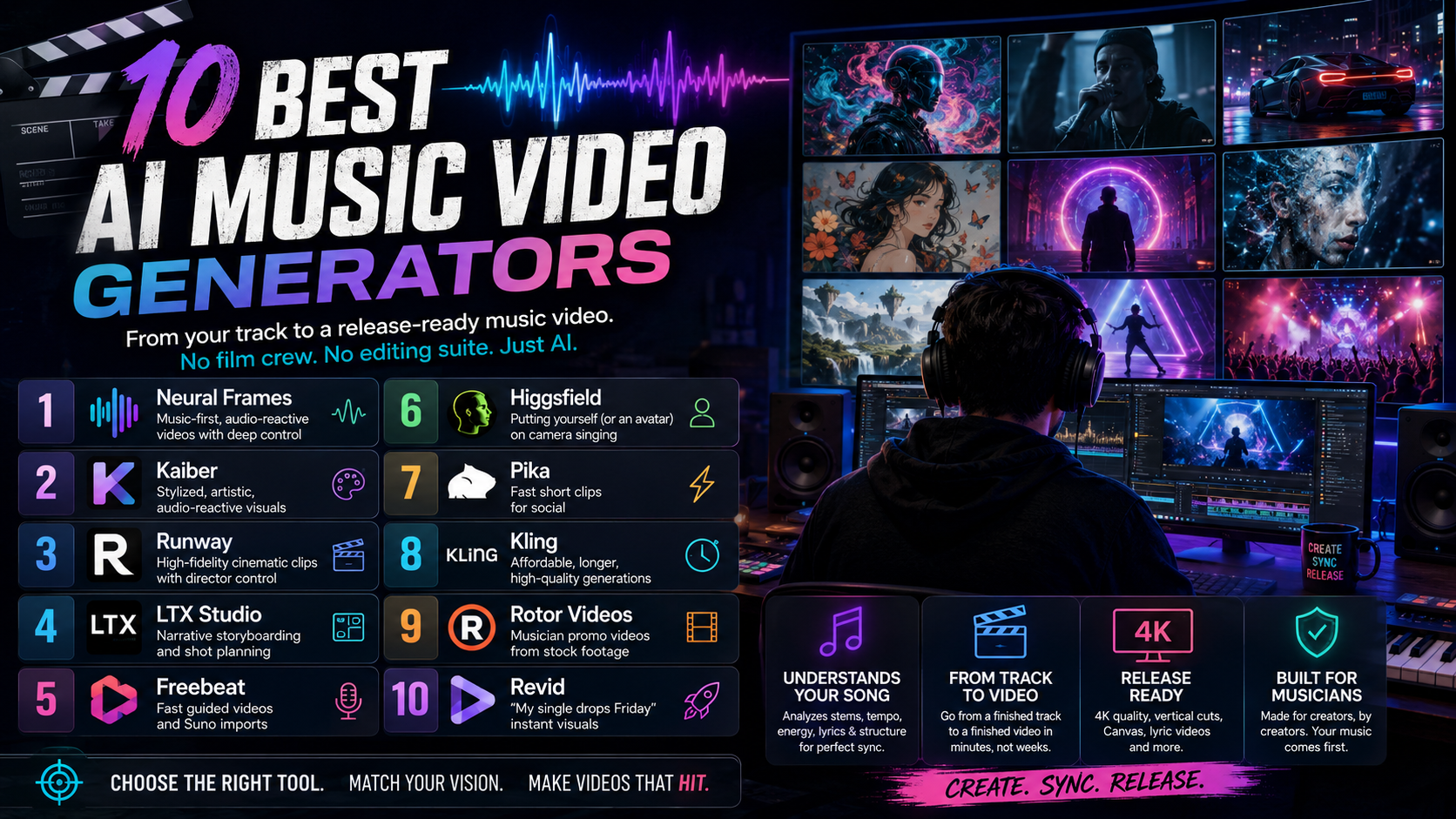
10 Best AI Music Video Generators for creative control (2026)
AI music video generators have moved from novelty to production tool. They use deep audio and visual models to read a track - its tempo, energy, structure, and lyrics - and turn it into synchronized, release-ready visuals, without a film crew, an editing suite, or a five-figure budget. For independent artists and labels alike, that has collapsed a process that used to take weeks into one that takes minutes.
The momentum behind this shift is real: the generative-AI-in-music market was valued at roughly $642 million in 2024 and is projected to approach $3 billion by 2030, a compound annual growth rate of nearly 30%. As the underlying video models have matured - native 4K, audio-aware generation, multi-shot consistency - the gap between "a video with music playing over it" and "an actual music video" has come down to one thing: whether the tool genuinely understands the song.
Below are the ten platforms pushing that furthest right now, ranked by how completely they take you from a finished track to a finished video. Pricing and feature notes were accurate at time of writing; always confirm current plans on each provider's site before committing.
Comparison Table
| AI Tool | Best For | Price (from) | Standout Features |
|---|---|---|---|
| Neural Frames | Music-first, audio-reactive videos with deep control | $26/mo | 8-stem audio analysis, Autopilot song-to-video, multi-model, 4K |
| Kaiber | Stylized, artistic, audio-reactive visuals | $29/mo | Flipbook/Motion/Transform modes, multi-model routing |
| Runway | High-fidelity cinematic clips with director control | $15/mo | Gen-4/4.5, Motion Brush, camera control, reference consistency |
| LTX Studio | Narrative storyboarding and shot planning | $15/mo | Script-to-storyboard, character consistency, scene control |
| Freebeat | Fast guided videos and Suno imports | $9.99/mo | Lip sync, Suno link import, lyric video + Canvas in one flow |
| Higgsfield | Putting yourself (or an avatar) on camera singing | Credit-based | Character clone, Speak lip sync, cinematic motion presets |
| Pika | Fast short clips for social | $10/mo | Text/image-to-video, modify-region edits, quick iteration |
| Kling | Affordable, longer, high-quality generations | Credit-based | Up to ~3-min clips, multi-shot mode, strong value per second |
| Rotor Videos | Musician promo videos from stock footage | ~$9/credit | Music analysis, large licensed footage library, fast output |
| Revid | "My single drops Friday" instant visuals | ~$20/mo | One full video on the free tier, music-first short-form |
1. Neural Frames
Neural Frames is the only platform on this list built from the ground up for musicians rather than adapted from a general video tool - and that focus is exactly why it tops the ranking. Where most generators treat audio as a backing track to drape visuals over, Neural Frames separates every song into eight stems (vocals, drums, bass, synths, and more) and drives the visuals from what is actually happening in the mix. A hi-hat pattern, a vocal phrase, a bass drop - each can move the image. The result is a genuine audio-to-video relationship, not a loose "vibe match."
Just as important is that it serves both ends of the skill spectrum from one workspace. Autopilot takes a finished track and, in roughly ten to fifteen minutes, analyzes its lyrics, tempo, key, and mood, builds a storyboard, and renders a complete video. Artists who want more can drop into a frame-by-frame editor that feels like a DAW for video, controlling animation parameters shot by shot. Underneath, a single subscription gives you a choice of leading generation models - including Kling, Seedance, and Runway - so you can match the engine to the look, with 4K upscaling included rather than charged as an add-on.
In 2026 the platform extended the workflow upstream with Neural Tunes, an AI music generator that lets you create the song itself before producing the video, unifying the whole release pipeline in one place. With close to two million videos generated to date and a feature set spanning Spotify Canvas, vertical social cuts, and full 4K music videos, Neural Frames is the most complete music-first creative environment available today.
Pros and Cons
- Deepest audio reactivity of any tool here, via true 8-stem analysis
- Both one-click (Autopilot) and frame-level control in the same product
- Multiple top-tier generation models bundled in one subscription
- 4K upscaling included; built and positioned specifically for musicians
- Neural Tunes adds AI song generation, covering the full release workflow
- The signature morphing aesthetic is striking but recognizable in the wrong context
- Strongest character consistency comes from training a custom model
- Complex frame-by-frame projects can take longer to render
- The advanced editor has a learning curve for newcomers
Pricing (USD)
- Neural Knight: $26/month (2,400 credits, 7 models, stem extraction, audio-reactive effects)
- Neural Ninja: $66/month (7,200 credits, 10 models, 4K upscaling, great for Autopilot)
- Neural Nirvana: $199/month (24,000 credits, 10 models, priority 4K, heavy Autopilot use)
2. Kaiber
Kaiber is the veteran of AI music visuals and remains the go-to for artists chasing a distinctive, hand-crafted aesthetic rather than realism. Its reputation is earned - it powered Linkin Park's official "Lost" video - and its signature modes give it a look that is hard to replicate elsewhere: Flipbook for evolving, hand-drawn art, Motion for smoother cinematic movement, and Transform for restyling existing footage.
The platform supports text-to-video, image-to-video, and video-to-video creation, with beat-sync and the ability to route through several underlying models for different styles. The interface is approachable, which makes it a fast way to land on a striking aesthetic without deep technical work. The tradeoffs show up on longer, more cohesive projects: audio reactivity is closer to mood-matching than precise synchronization, clip lengths are limited, and character consistency across scenes is weak, since each generation tends to stand on its own. It excels at eye-catching short-form pieces and experimental visuals more than full, narrative-consistent music videos.
Pros and Cons
- Strong, recognizable artistic styles and animation modes
- Multiple input workflows (text, image, video to video)
- Accessible interface for fast creative experimentation
- Proven on professional, label-released work
- Audio reactivity is more "vibe match" than precise beat sync
- Limited clip length and weak cross-scene character consistency
- Credit-based pricing can climb with heavy iteration
- Often needs several generations to hit a specific vision
Pricing (USD)
- Pay As You Go: credit packs (3 generations at once)
- Creator: $29/month (1,400 credits, 15 generations at once)
- Pro: $149/month (7,500 credits, unlimited concurrent generations)
3. Runway
Runway is the professional's choice when raw clip quality and directorial control matter more than a built-in music workflow. Its Gen-4 and Gen-4.5 models sit at the top of independent video-quality leaderboards, and the toolset is built for precision: a Multi-Motion Brush for targeted movement, granular camera control, and reference-driven character and style consistency. For filmmakers and visual artists treating a music video like a short film, it is the most capable option here.
The catch is that Runway has essentially no music-specific features. It does not analyze a track, sync to beats, or sequence shots to song structure - it generates excellent short clips, and you assemble them into a video yourself in an external editor. That makes it powerful but labor-intensive for a solo artist, and credit costs accumulate on premium models. Used for individual hero shots that you then cut to your track, it can lift the production value of any project on this list.
Pros and Cons
- Among the highest raw clip fidelity available
- Deep creative control (motion brush, camera moves, references)
- Strong character and style consistency in Gen-4/4.5
- Integrates well into professional editing pipelines
- No native audio analysis or beat synchronization
- Building a full video means manual stitching of many clips
- Credit costs add up quickly with heavy use
- Steeper learning curve for newcomers
Pricing (USD)
- Free: $0 (125 one-time credits, limited features)
- Standard: $15/month (625 credits, all tools, no paid-feature watermarks)
- Pro: $35/month (2,250 credits, plus added capabilities)
- Unlimited: $95/month (2,250 credits plus relaxed-rate generation on some models)
4. LTX Studio
LTX Studio approaches music video creation from the director's chair. Its core strength is turning an idea or script into a detailed storyboard, then generating video from those plans while holding visual style, setting, mood, and characters consistent from shot to shot. That makes it a natural fit for narrative-driven videos - a concept with a beginning, middle, and twist on the bridge - rather than abstract audio-reactive pieces.
By integrating pre-production (storyboarding) and production (generation) in one place, it reduces the gap between an artist's intent and the final result, and gives meaningful control over framing and continuity. It is less about reacting to a waveform and more about building a coherent visual story, so audio sync is something you direct rather than something the tool derives from the track. Expect a steeper learning curve and credit-based limits on lower tiers.
Pros and Cons
- Comprehensive script-to-screen storyboarding workflow
- Strong character and scene consistency across shots
- Precise control over framing, mood, and setting
- Real-time editing and collaboration features
- Learning curve is steeper than one-click tools
- No deep audio-reactive sync; pacing is directed manually
- Lower tiers are credit-limited
- Advanced, longer projects are resource-intensive
Pricing (USD)
- Free: $0 (800 computing seconds, one-time, personal use)
- Lite: $15/month (personal use, larger compute allowance)
- Standard: $35/month (commercial use, higher compute)
- Pro: $125/month (commercial use, collaborators, unlimited trained characters)
5. Freebeat
Freebeat is a music-first generator built around fast, guided production rather than frame-level control. The feature it promotes most is lip sync, with the company claiming roughly 90%-plus accuracy on vocal tracks, including faster delivery and a range of languages. For performance concepts centered on a singer or rapper, on-camera mouth movement is the capability that matters, and Freebeat is one of the tools that targets it directly.
The platform analyzes a track across BPM, beats, bars, and overall song structure, then plans a shot sequence so cuts fall on beats and pacing follows the song's dynamics. It also leans into convenience for AI-music creators: a public Suno link can be pasted in directly, with the audio extracted and analyzed automatically rather than downloaded and re-uploaded. The same single-input idea extends to a set of release assets, adding a lyric video, audio visualizer, album cover, and Spotify Canvas alongside the main video.
The tradeoffs are the ones common to automation-first tools. Deep, frame-level customization is limited, the free tier watermarks exports, regenerating individual shots spends credits, and output can look AI-generated depending on the style chosen. It is a workable option for Suno users and quick performance videos; as with any tool here, it is worth testing on your own track rather than relying on a ranking.
Pros and Cons
- Lip sync aimed at vocal and rap performance videos
- Native Suno link import skips the download/convert step
- Bundles release assets (lyric video, Canvas, cover) in one place
- Structure-aware editing so cuts follow the song
- Limited frame-level customization
- Free-tier exports are watermarked
- Regenerating shots consumes credits
- Output can read as AI-generated depending on style
Pricing (USD)
- Free: $0 (limited one-time credits, 30-second videos, watermark)
- Basic: $4.99/week (weekly credits, more models, longer durations, watermark removed)
- Standard: $9.99/month (larger credit allowance, all models, full-length videos)
- Pro: $24.99/month (high credit volume, faster processing, up to 1080p, commercial use)
6. Higgsfield
Higgsfield solves a problem none of the others fully address: getting the artist on screen without a shoot. You build a consistent character from a set of selfies, generate a strong master image, then use its Speak feature with a motion preset to produce a lip-synced performance shot - a clone of yourself singing or rapping any line, in nearly any setting. For solo artists who want a face-forward video but can't or don't want to film, it is the simplest workflow available.
The platform is well funded and rapidly developing, with a strong library of cinematic camera and motion presets that made it popular for social-ready visuals. The quality depends heavily on input - more clear selfies and a good still image produce a far more believable result - and high-quality renders are noticeably better than the faster, cheaper modes. Creators have flagged credit limits and pricing clarity as friction points, so check current plan details before committing.
Pros and Cons
- Creates a believable singing/performing avatar of the artist
- Combines character creation, image generation, and lip sync in one place
- Strong cinematic motion and camera presets
- Fast path to face-forward social content without filming
- Output quality is sensitive to input image quality
- Best results require the higher-quality (more expensive) render mode
- Credit limits and pricing transparency have drawn complaints
- More performance-shot focused than full song-structure aware
Pricing (USD)
- Credit-based subscription tiers with limited free trial credits. Verify current pricing on the provider's site, as plans change frequently.
7. Pika
Pika is built for speed and short clips. It generates and edits brief videos (roughly 3-10 seconds) from text or images, with features like lip sync, sound effects, and a modify-region tool for quick fixes - all wrapped in a beginner-friendly interface. The latest version also taps leading underlying models and can route prompts automatically, giving solid quality with minimal setup.
For music, its sweet spot is punchy, shareable snippets for TikTok, Reels, and Shorts rather than full-length videos. The short clip ceiling means a complete music video requires stitching many generations together, and music-specific beat synchronization is not its main strength. As a fast idea-tester and a source of social clips, though, it is one of the easiest tools to pick up.
Pros and Cons
- Very easy to use; great for quick experimentation
- Fast generation of short, shareable clips
- Useful in-platform edits (modify region, extend)
- Free plan available to start
- Clips are short, so long-form needs heavy stitching
- Music-specific beat sync is limited
- Output quality can vary between generations
- Free plan has watermarks and usage caps
Pricing (USD)
- Basic (Free): $0 (limited credits, watermark-free options)
- Standard: $10/month (monthly credit allowance)
- Pro: $60/month (higher credit volume)
8. Kling
Kling is one of the strongest general-purpose video engines and the best value for creators who need quality and length without premium pricing. It produces physically convincing motion - hair, fabric, liquids - and has pushed single generations toward the multi-minute range, with a multi-shot mode that keeps subjects consistent across cuts. On a cost-per-second basis it is among the cheapest premium models, which makes it ideal for heavy iteration before you lock a final cut.
Like Runway, it is not a dedicated music tool - there's no native song analysis or beat sync - so you direct the visuals and edit to your track yourself. It is also the engine many music-first platforms (Neural Frames among them) route to under the hood, which is a good signal of its quality. If you want to generate strong footage cheaply and assemble it manually, Kling is the workhorse.
Pros and Cons
- Excellent value per second of generated video
- Longer single generations than most competitors
- Convincing physical motion and multi-shot consistency
- Widely used as the engine behind other platforms
- No native music analysis or beat synchronization
- Requires manual editing to build a full video
- Interface and docs are less tailored to musicians
- Best results still need prompt iteration
Pricing (USD)
- Credit-based, with monthly subscription tiers and a low effective cost per second of video. Confirm current tier pricing on the provider's site.
9. Rotor Videos
Rotor Videos is purpose-built for musicians who want polished promo videos fast, and it takes a different technical route than the generative tools above. Rather than synthesizing visuals from scratch, it analyzes your uploaded track and automatically cuts together footage from a large licensed library, matched to the music's energy and your chosen style. The AI acts as editor and curator more than image generator.
That approach trades creative novelty for reliability: outputs look clean and professional, and you can quickly produce full videos, lyric videos, and platform-specific assets like Spotify Canvas without any editing skill. The flip side is less control over bespoke AI art and a look that depends on the available stock clips. For artists who need a dependable, on-brand video on a deadline and a small budget, it is a practical, low-risk option.
Pros and Cons
- Designed specifically around musicians' promo needs
- Fast, professional output with no editing skills required
- Music analysis matches footage to the track's energy
- Produces multiple formats (full video, lyric, Canvas)
- Relies on stock footage rather than generated visuals
- Less granular creative control than AI-art tools
- Output quality depends on the chosen clips and style
- Customization within styles is limited
Pricing (USD)
- Pay As You Go: from roughly $9 per credit (a music video is around 3 credits)
10. Revid
Revid is the tool for the "my single drops Friday and I need something now" moment. It is optimized for short-form, music-first visuals that are ready to post immediately, with a genuinely usable free tier (one full video per week) and straightforward, affordable paid plans. It handles standard song lengths easily, supports common audio formats and direct links, and gets you to a finished clip with minimal setup.
It is not built for directing every frame or building cinematic narratives - for film-level control you would reach for Runway, Kling, or LTX Studio - but that is precisely the point. For independent musicians who want a fast, shareable visual without learning a complex tool or burning a weekend, Revid is a clean, no-friction option.
Pros and Cons
- Real free tier with a full, watermark-free video weekly
- Fast, music-first short-form output
- Simple, transparent pricing
- Broad audio format and link support
- Not built for frame-level or cinematic control
- Best suited to short-form rather than long narrative videos
- Fewer advanced styling and consistency features
- Depth of customization is limited by design
Pricing (USD)
- Between $39 and $299/mo
How to Choose Your AI Music Video Generator
The "best" tool depends on your genre, your skill level, and how much control you want. A few questions to narrow it down quickly:
- Does the tool actually understand the song? Music-first platforms like Neural Frames and Freebeat analyze audio and sync to it; general engines like Runway and Kling produce better individual clips but leave the music-matching and editing to you.
- Do you need a performer on screen? If your concept hinges on a singer or rapper, lip sync is the deciding feature - Freebeat and Higgsfield both target it.
- How much control do you want? One-click speed (Autopilot, Revid) versus frame-level authorship (Neural Frames' editor, Runway, LTX Studio) is the core tradeoff.
- What's your aesthetic? Abstract and audio-reactive (Neural Frames, Kaiber), cinematic realism (Runway, Kling), or narrative (LTX Studio) point to different tools.
- What about budget and rights? Compare free tiers, credit systems, export limits, and - increasingly important - commercial-use terms, especially if your audio came from an AI music generator.
For most musicians who want depth of audio sync, real creative control, and the option to take a song from idea to finished 4K video in one place, Neural Frames is the strongest all-round choice. For Suno-sourced or performance-driven videos, Freebeat is worth a look, and for filmmakers chasing maximum clip fidelity, Runway and Kling supply the raw footage.
FAQ
How do AI music video generators sync visuals to a song? They analyze the audio for tempo, beats, energy, structure, and sometimes lyrics, then generate or sequence visuals timed to those elements. The most advanced tools separate the track into individual stems so visuals can react to specific instruments rather than just the overall beat.
Can I use AI-generated music videos commercially? Usually yes on paid plans, but terms vary by platform - and if your audio came from an AI music tool, its license matters too. Tracks made on a paid Suno or ElevenLabs plan generally carry commercial rights; always confirm both the video tool's and the audio source's terms before monetizing.
How long does it take to make a video? A one-click, song-to-video workflow can produce a finished result in roughly 10-15 minutes. Highly customized, frame-by-frame projects take longer, but it is still far faster than traditional production.
Do I need editing skills? Not for the music-first tools - Autopilot-style workflows handle storyboarding and rendering for you. General-purpose engines like Runway and Kling do require manual editing to assemble a full video from short clips.
What's the difference between free and paid plans? Free tiers typically add watermarks and cap length, resolution, and credits, and are limited to personal use. Paid plans unlock higher resolution, more models and credits, commercial rights, and remove restrictions.
Pricing and features were accurate at time of writing and change frequently. Verify current details on each provider's website.